
Money
Withdraw to your account wallet.
Use the amount shown as withdrawable. Your gaming withdrawal returns USDC to the wallet attached to your account.
Request a withdrawal.
Open Withdraw
Check your current account and wallet address. The Withdrawable now amount tells you what you can request.
Enter an available amount
Check the amount and destination under To your wallet. Review the minimum, fees and any restrictions shown before selecting Withdraw.
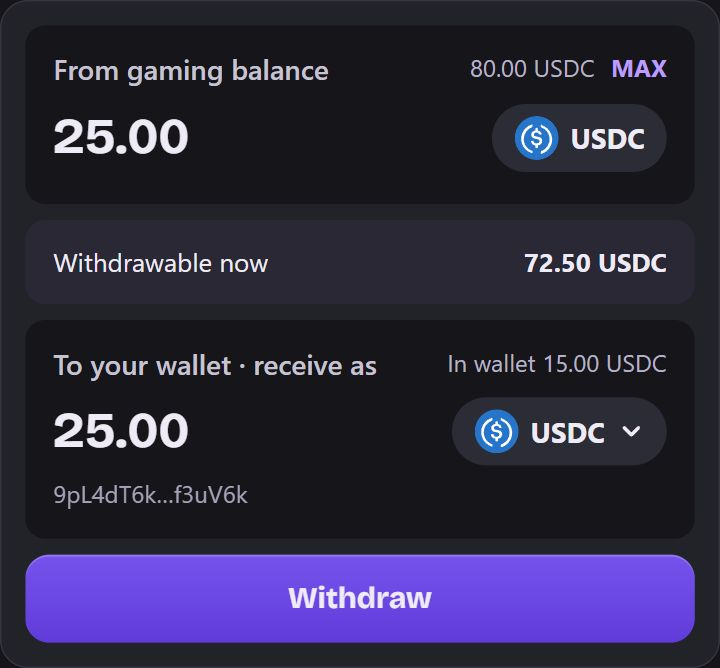
Example. Direct USDC withdrawal with sample balances and a masked example address. Submit and follow its status
Keep the cashier open while it shows Withdrawal processing and follow the status of the same request.
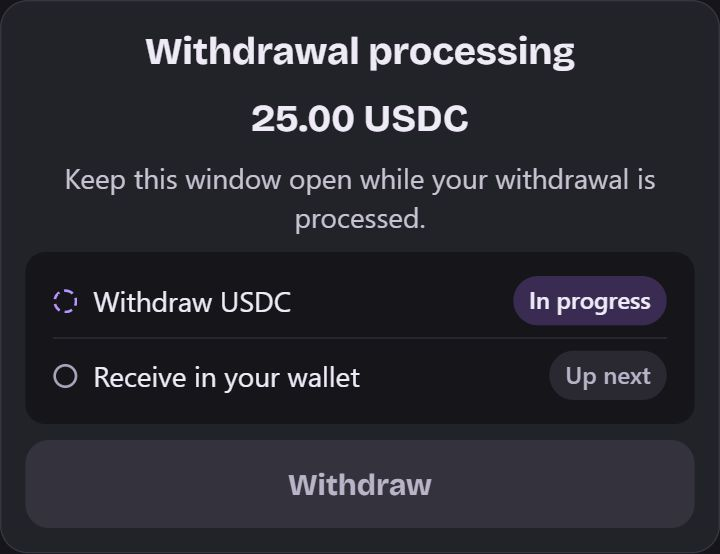
Example. The request is still processing. Check your wallet
When the cashier shows Withdrawal complete, confirm the USDC arrived in your account wallet.
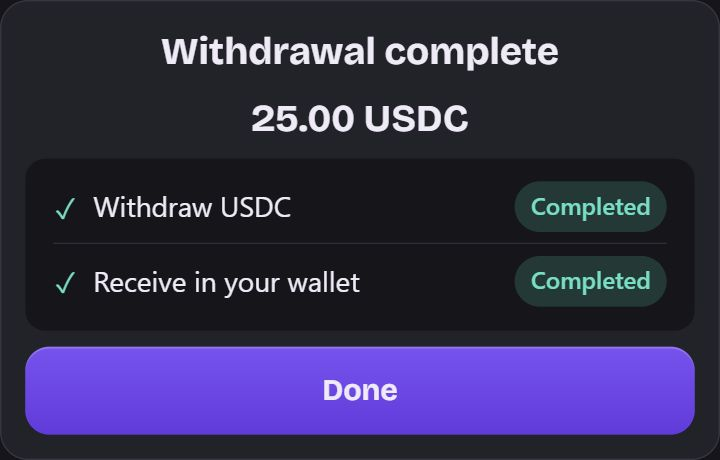
Example. The cashier has confirmed this example withdrawal.
Want another token?
A withdrawal and a token conversion are separate steps. If the cashier offers Receive as, you can choose another supported token. USDC goes to your wallet first, then the conversion uses a fresh quote.
 USDC
 SOL
- Pricing
- 1 USDC ≈ 0.008000 SOL
- Slippage
- 1%
- Min. received
- 0.198 SOL
Your USDC is safe in your wallet. It was not converted to SOL.
- Withdraw USDC
- Completed
- Convert USDC
- Not started
Why can’t I withdraw the full balance?
Your total Gaming Balance may include funds affected by game activity or bonus conditions. The withdrawable amount shows what is currently available. Review any message in the cashier before continuing.