
The house
Be part of the bankroll.
Provide USDC to the vault and receive $TLP for your share. House results can increase or reduce its value.
Open The HouseHow $TLP works.
$TLP represents a share of the pooled house bankroll. The value of that share is based on the vault’s net asset value, or NAV, divided by the $TLP supply. NAV is the bankroll value after amounts owed are deducted.
Read your vault position.
 USDC Vault
LP tiers
-
1
 Whale≥ $50K
- LP share
- 85%
- Protocol
- 15%
- Cooldown
- 3d
-
2
 Director$10K to under $50K
- LP share
- 80%
- Protocol
- 20%
- Cooldown
- 5d
-
3
 Executive$2.5K to under $10KSample tier
- LP share
- 75%
- Protocol
- 25%
- Cooldown
- 7d
-
4
 Premier$500 to under $2.5K
- LP share
- 70%
- Protocol
- 30%
- Cooldown
- 10d
-
5
 EliteUnder $500
- LP share
- 65%
- Protocol
- 35%
- Cooldown
- 14d
The sample account deposited 3,000 USDC, placing it in Executive. The tier splits are used to calculate the pool allocation in Growth and Standard. Withdrawing more than 2.5% of the vault in a seven-day window adds seven days to your cooldown.
Add to vault.
Open The House
Check the current vault details, eligibility and terms.
Review your contribution
Select Deposit in your vault position. Enter the USDC amount and review the note on share pricing and risk before confirming in your wallet.
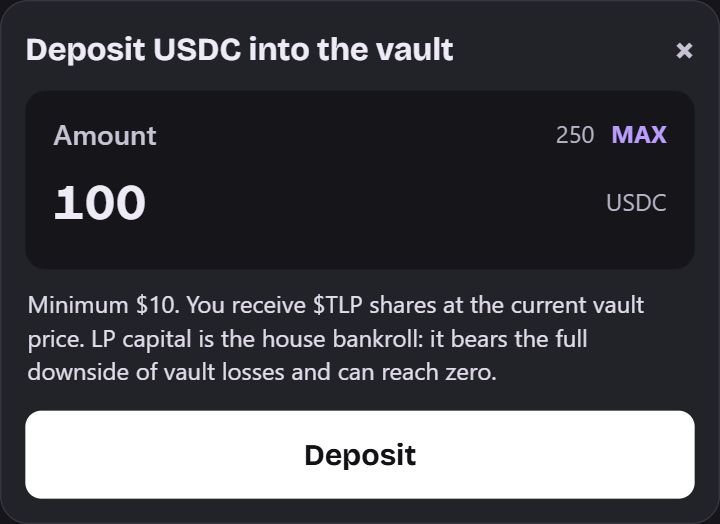
Example. Sample vault deposit. This contribution buys $TLP shares. Follow your position
Your $TLP represents a share of a changing pool, not a fixed USDC deposit balance.
Withdraw from vault.
Queue the request
Select Withdraw in your vault position, enter the number of $TLP shares and select Queue request.
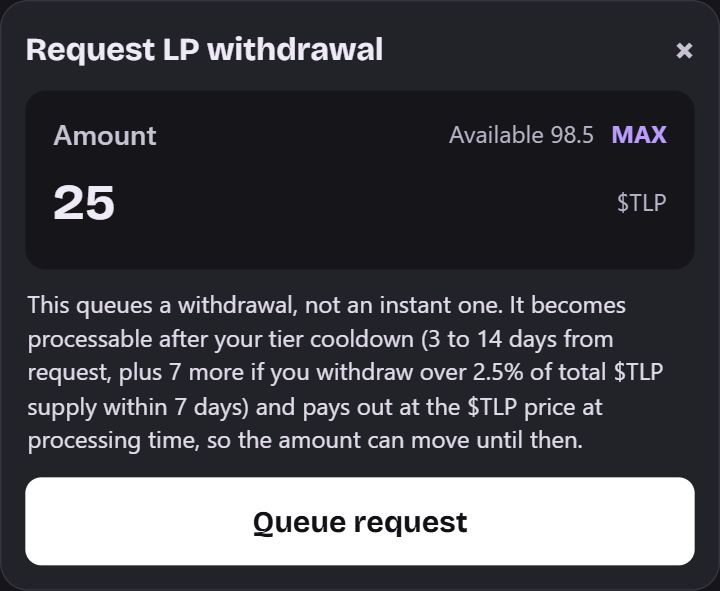
Example. The vault queues a request in shares. The eventual payout is priced when processed. Check the cooldown
Look under Queued withdrawals for the date the request can be processed. Ready to process means the cooldown has passed.
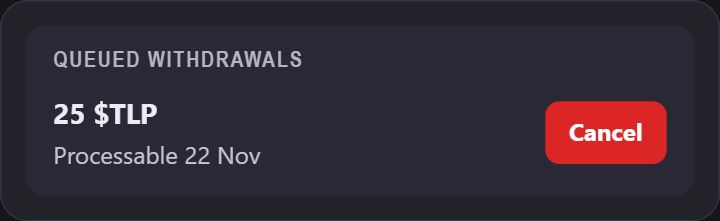
Example. Your processable date depends on your position and request. Wait for processing
Check your wallet after the request is processed. The payout can change until processing.
Vault withdrawals and Gaming Balance withdrawals follow separate flows. Use The House to track your vault position.
Founding Banker benefits.
Qualifying Founding Banker deposits count at an 85% LP rate when we calculate the vault’s share of net gaming revenue. The vault keeps that share in the bankroll, adding to the value backing every $TLP. Check eligibility and seat availability in The House.